From Strategy Library to Demo Trading: One Trader’s EdgePilot Workflow
Start with a direction from the strategy library, customize the code with AI, then check it through backtests and demo trading. Follow one trader’s EdgePilot workflow.
Starting with the EdgePilot strategy library gives you a head start on building your own approach. This user used the library as a research starting point, worked with AI to develop a strategy for his goals, then tested it through backtests and Binance Demo.
A different objective needs a different scorecard
The trader was entering a competition where only first place earned a prize. That changed what he needed from a strategy. In an everyday trading account, a modest gain or a smaller loss still matters. In this competition, finishing with a small profit would earn him nothing unless he also finished first.
His focus shifted from steady long-term returns to reaching a specific target within a short window. He chose a research objective: turn an equity level of 1.0 into 1.5 within 14 days, then stop—a 50% gain.
The chart below makes his thinking clearer. In everyday trading, the size of each gain or loss matters. For this experiment, he focused on one question: could the strategy reach the target within the time limit?
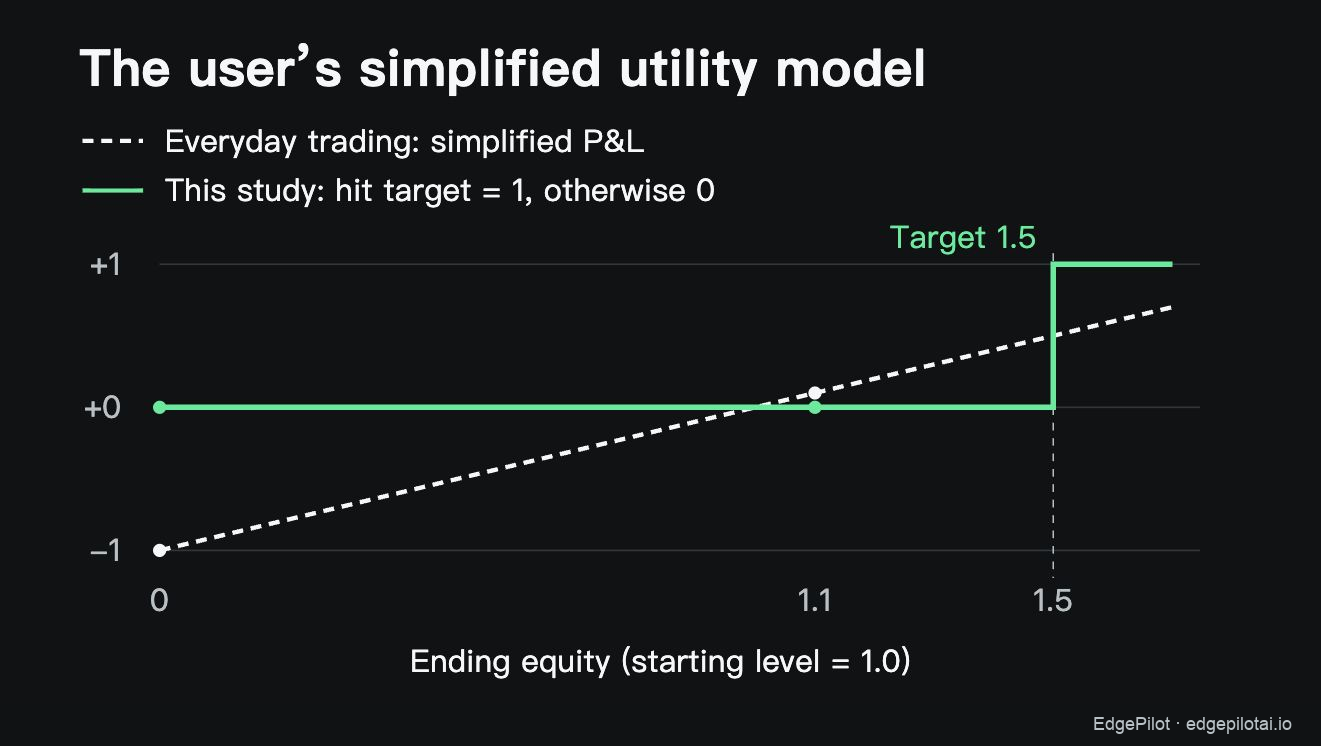
His brief to the AI followed from that objective: maximize the chance of reaching the target within 14 days, stop when it is reached, and allow for the possibility that a failed attempt loses the entire starting balance.That is why he prioritized target-hit frequency over annualized returns or the Sharpe ratio.
Start in the library, then customize with AI
He began in the EdgePilot strategy library, reviewing existing rules, trade frequency and historical results against a two-week window. A strategy that trades only a few times a month could miss that brief, however appealing its longer-term statistics.
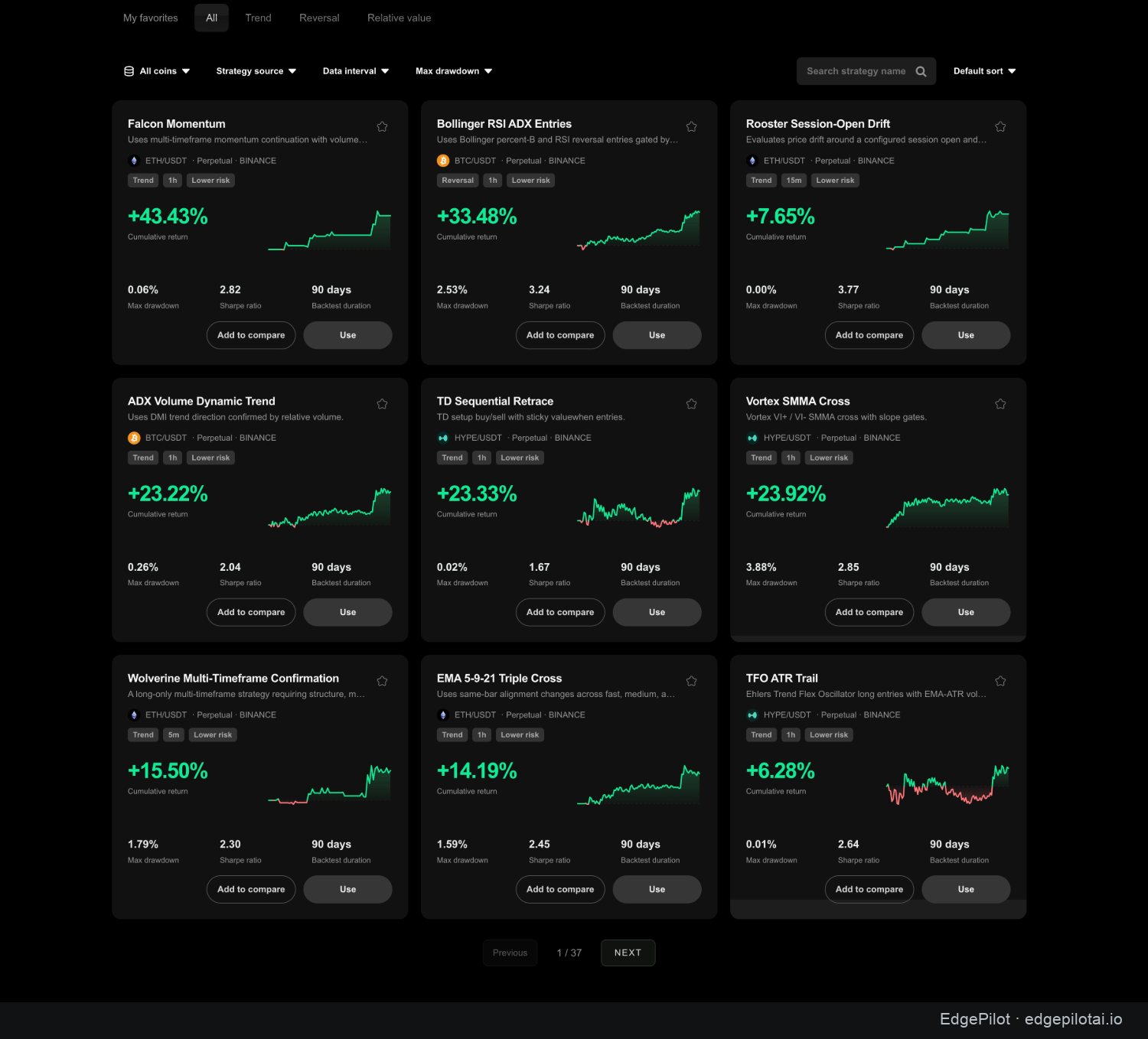
Open a candidate’s detail page to check the test period, data source and cost assumptions. Falcon Momentum illustrates how that evidence helps you decide what to take into your AI workspace for further research.
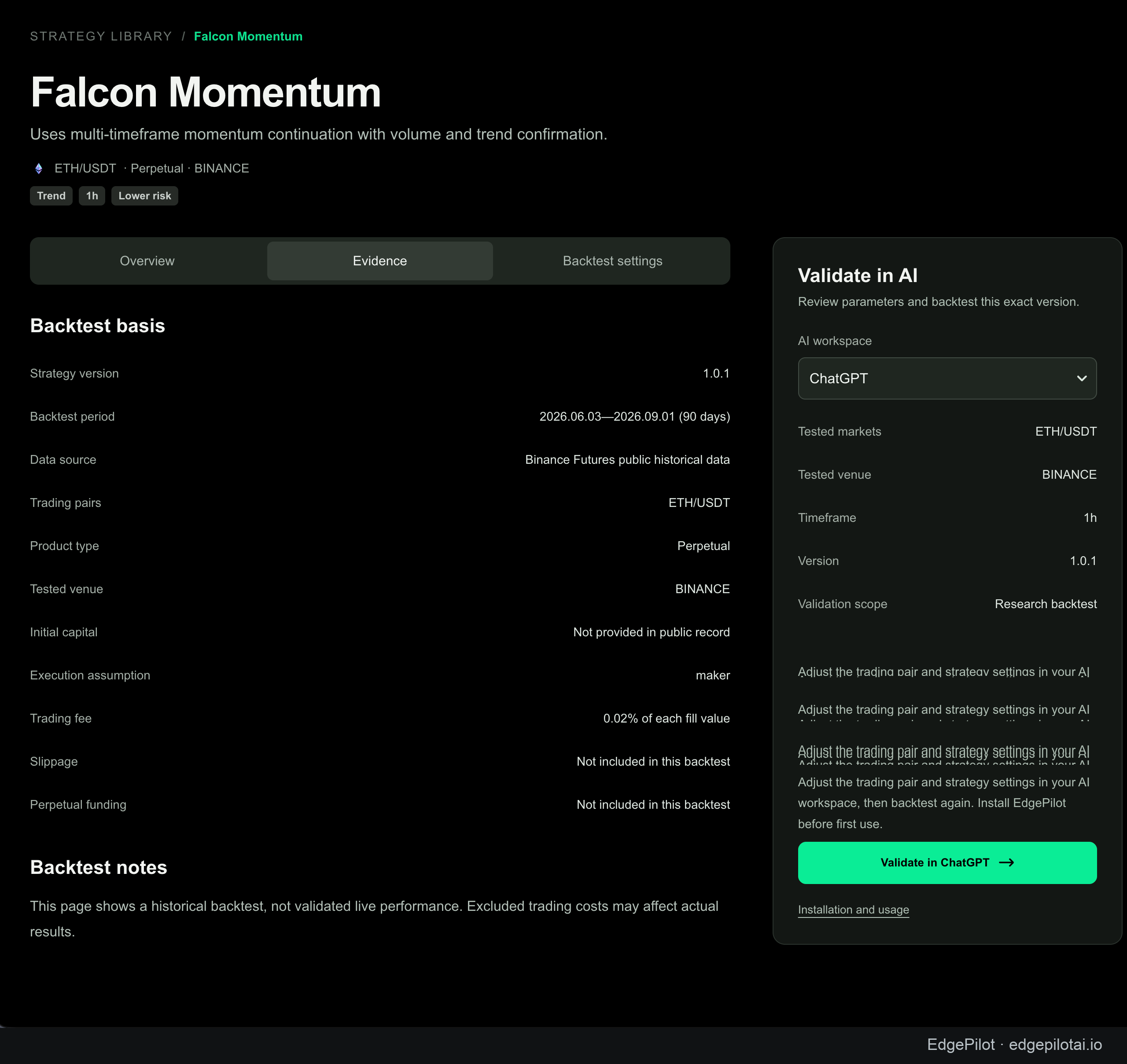
Starting with existing approaches saved him time finding a direction and clarified what he needed to change. He worked with an AI assistant to write and refine Cheetah, a trend strategy with a target-equity rule, a time limit and explicit exits, then checked the code with EdgePilot backtests.
The assistant then used additional research scripts to start a new 14-day historical simulation every 12 hours, stopping at the target and comparing leverage settings. The user reported the following outcomes for that experiment; the percentages apply to those test conditions.
| Outcome | Share of simulated runs |
|---|---|
| Equity reached 1.5 | About 65% |
| Equity fell to zero | About 35% |
He now had Cheetah: a strategy whose rules and reported simulation results fit his competition brief, while still carrying substantial risk of total loss. That gave him a concrete approach to test further.
Could a grid improve on Cheetah?
Having a workable strategy prompted one more comparison. With the same 14-day target, could a grid give him a better chance of getting there? He asked the assistant to test that alternative against Cheetah.
That prompted a separate comparison using historical one-minute data for ETH, BTC, SOL and DOGE. The research conversation records a sweep of 1,440 grid parameter combinations across 2,866 starting points. The objective and exit conditions were aligned so the strategies were being asked to solve the same problem.
Under the same objective and exit conditions, the grid configurations tested did not improve on Cheetah. He kept the original approach and turned his attention to how its orders were placed.
Lower fees don't settle the execution question
With Cheetah still the chosen approach, he looked for a less expensive way to enter its trades: if maker fees are lower, why use taker orders?
A maker order waits on the book for another participant to trade against it. A taker order trades against liquidity already available. Waiting may earn a lower fee, but it also gives the market time to move without you.
If the order doesn't fill, the strategy needs an answer: skip the trade, keep waiting or chase the price. Saving a fee and getting a worse entry can leave you with an impressive discount on a more expensive trade.
The user asked the assistant to compare market entry, limit take-profit orders, and a maker-first entry with a timeout. Additional simulations suggested a trade-off: longer waits could increase the maker-fill share while making the eventual chase more expensive when the order missed.
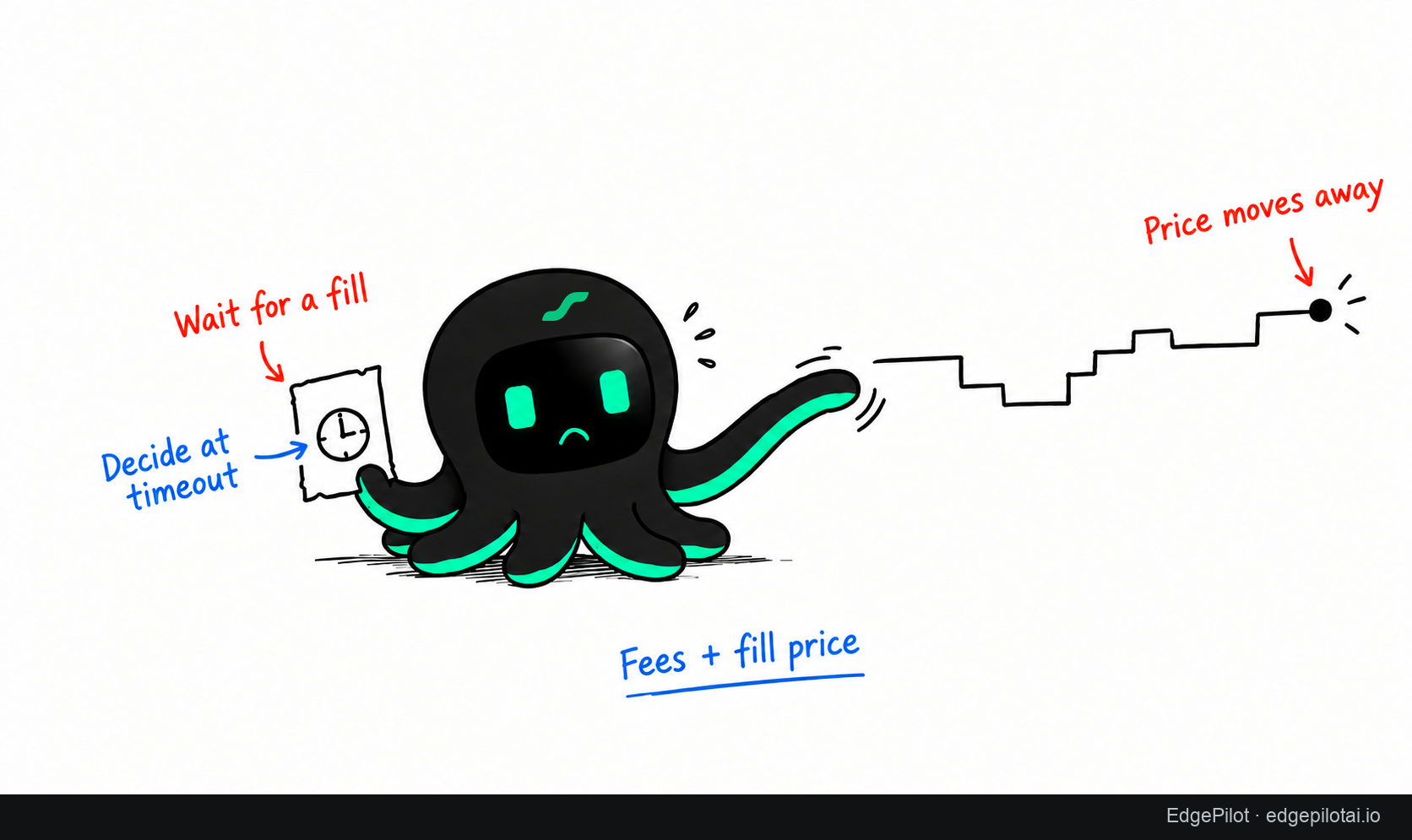
He turned the idea into three explicit rules:
| Stage | Rule | What to inspect |
|---|---|---|
| Entry | Try a post-only limit order for about a minute | Quantity filled and time spent waiting |
| Timeout | Cancel the remainder, then handle it with a market order | Remaining quantity and final entry price |
| Take profit | Use a reduce-only limit order | Actual exit and fees |
“Try maker orders” was now an execution plan. Each rule could be implemented, observed and checked against the original intention.
Track the run in EdgePilot and check fills on demo
With the code revised, he reviewed the configuration and backtests in EdgePilot. Once a Binance Demo account is connected, deployment starts from the strategy page: click Deploy, choose Demo, review the settings and confirm the start. EdgePilot runs the strategy locally and sends its orders to Binance Demo through the API.
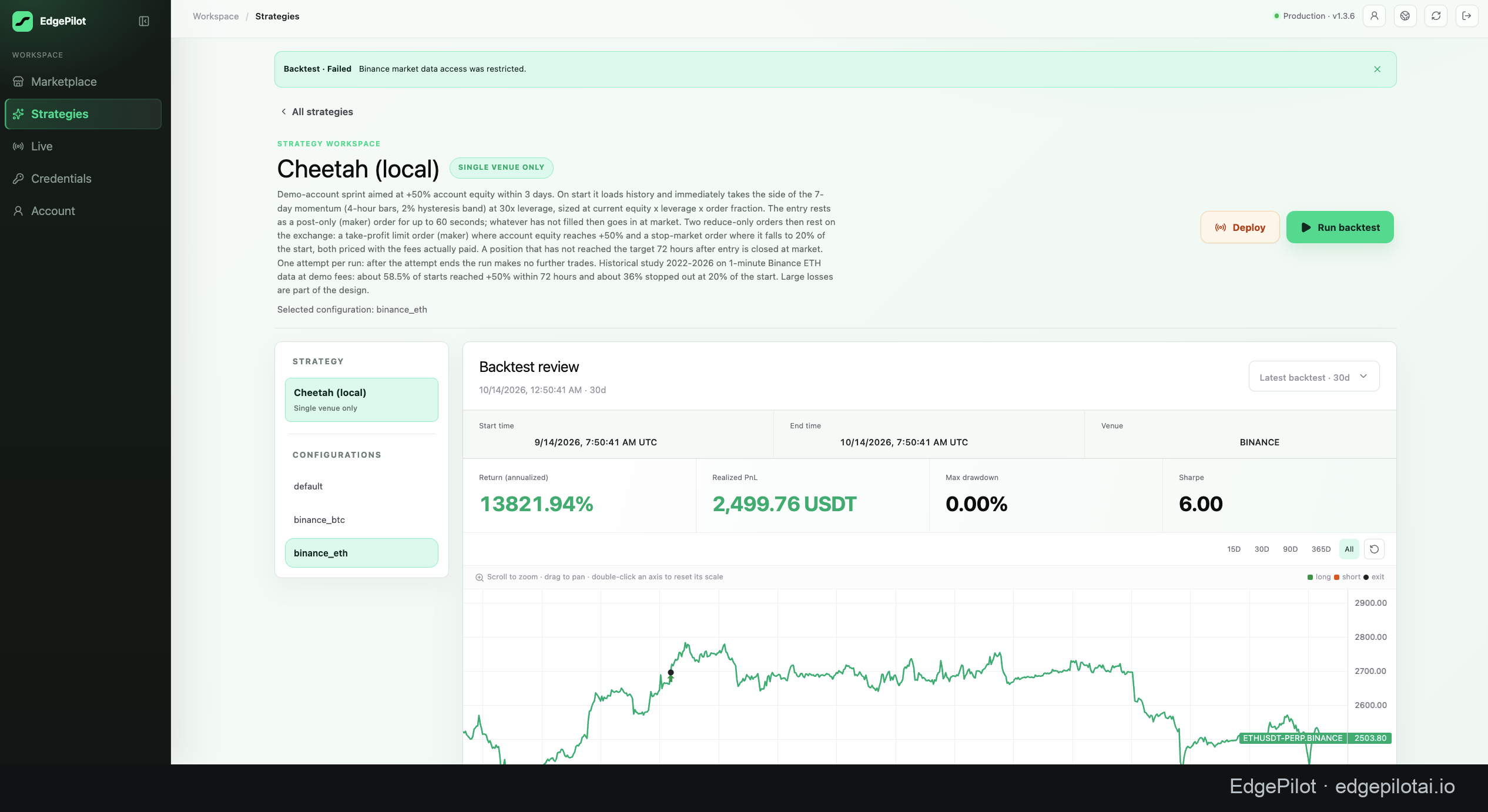
EdgePilot runs the strategy and tracks orders and positions; Binance Demo handles orders in the simulated account and returns fill updates. Users can monitor the run in EdgePilot and cross-check the account records on Binance Demo. He then asked the assistant to examine the fills and current position.
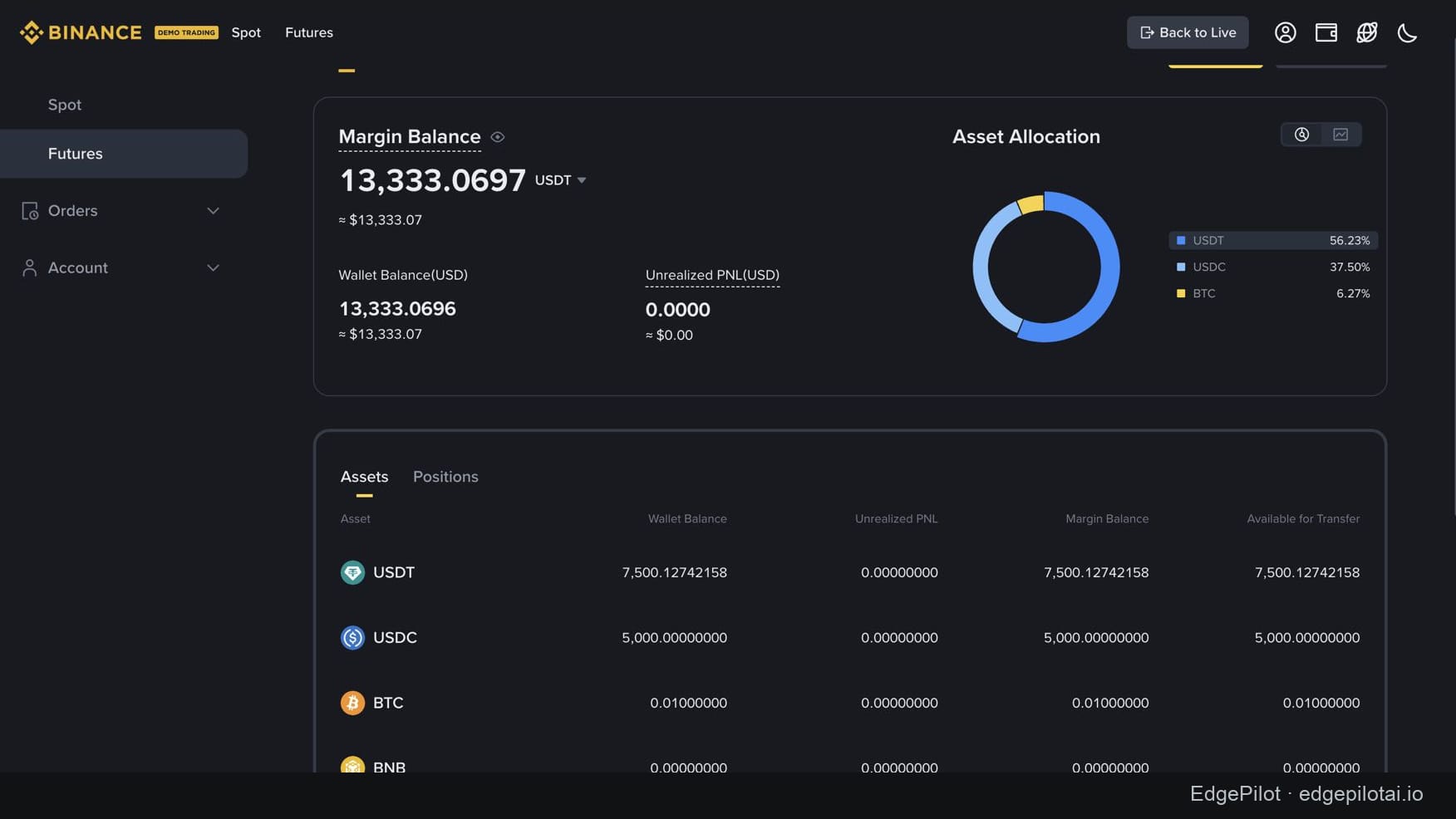
He compared EdgePilot’s run records with the Binance Demo account to check orders and positions. A partial fill gave him a concrete test of the timeout rule: did the strategy handle the unfilled remainder as intended?
Later records describe a completed entry and take-profit exit, with the take-profit filled as maker. The idea had moved from a code change to an execution sequence he could inspect.
From a library idea to a strategy you can run
This user found a direction in the library, developed the code with AI, then completed backtests and demo validation with EdgePilot. When something needed changing, he revised it and tested again.
EdgePilot connects the steps: choose a direction in the strategy library → customize the code with AI → backtest → validate on demo → move to live trading after confirming the operating conditions. The workspace lets you monitor demo and live runs, inspect orders and positions, and stop a run when needed.
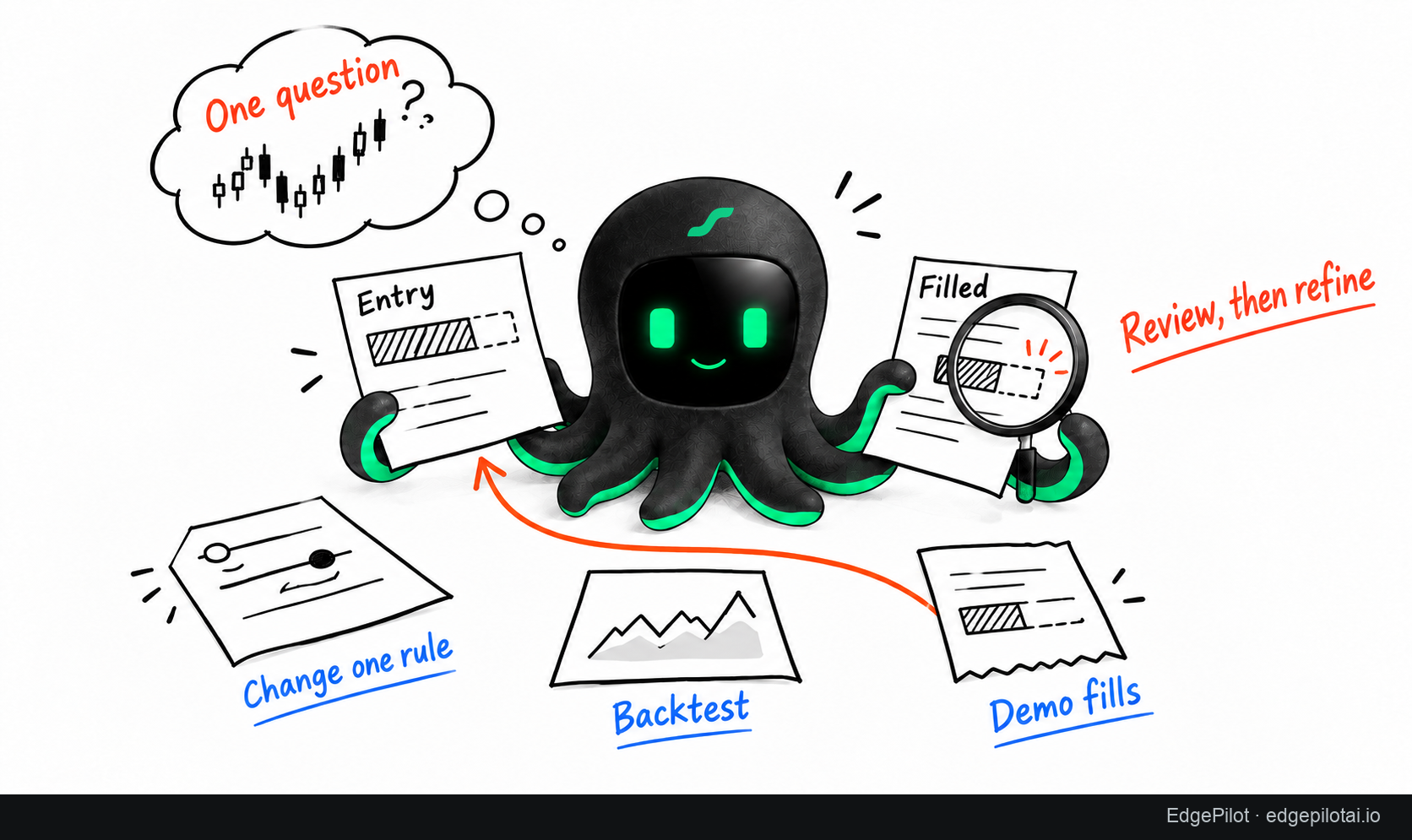
To apply the same approach to your own research:
- Pick a candidate.Choose a candidate from the EdgePilot strategy library, understand which rules you can reuse, and state your market, horizon and objective.
- Change one thing.For an entry comparison, keep the signal and sizing rules fixed.
- Review one complete trade.Follow it from signal to order, fill and position. Locate the gap between the plan and the execution.
Help me compare market entry with a limit order that waits before handling the remainder. Keep the market, test window and position-sizing rules fixed. Examine fees, waiting time, partial fills and final entry price. Based on the records, which single change should I test next?
Explore the EdgePilot strategy library and choose one question worth testing. A better next experiment starts with knowing exactly what you want it to answer.
For deployment and run monitoring, see the EdgePilot Live guide.
Historical simulations and demo results do not establish live or future returns.